
To import the section library:
- Open Diamonds.
- Go to the menu Edit > Section library.
- Click on
 and then on
  .
. - Choose the file of which you’d like to import the sections. The following file-formats are possible:
- *.mdb is the old (Diamonds 2015r06 or older) library format.
- *.bsf imports the sections in the selected Diamonds-project.
- *.xml is the library export format.
- *.sut is the format of a saved Section Utility-section.
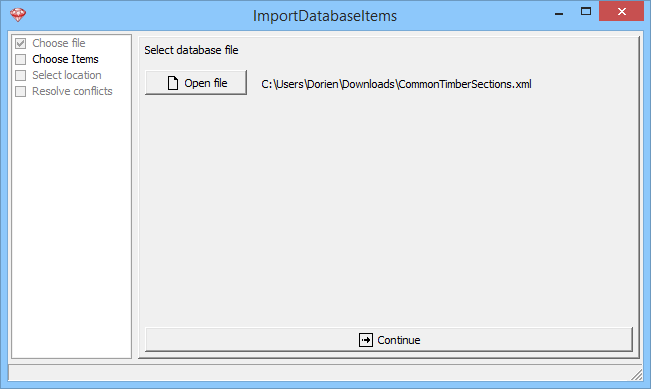
- Click on
 .
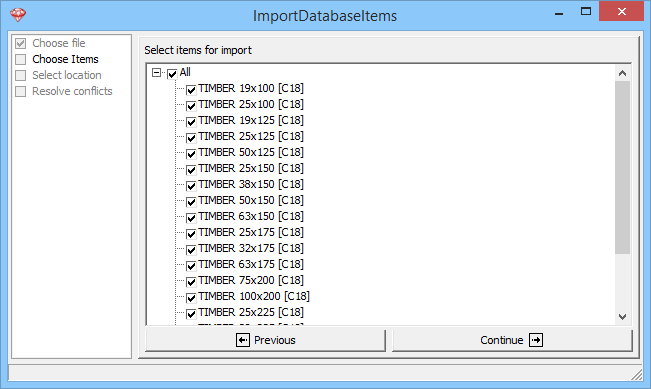
. - Choose the items to be imported.
Please uncheck all default sections.
- Click on .
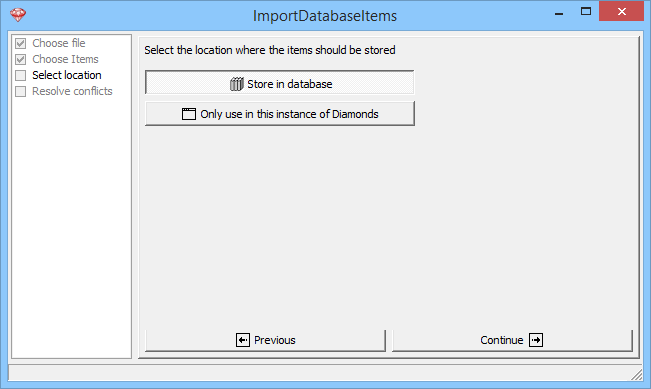
- Select how the items should be stored:
- you can save the items permanently in the library
- or they can only be disposable in the current project
- Click on .
- The items are added to the bottom of the list.
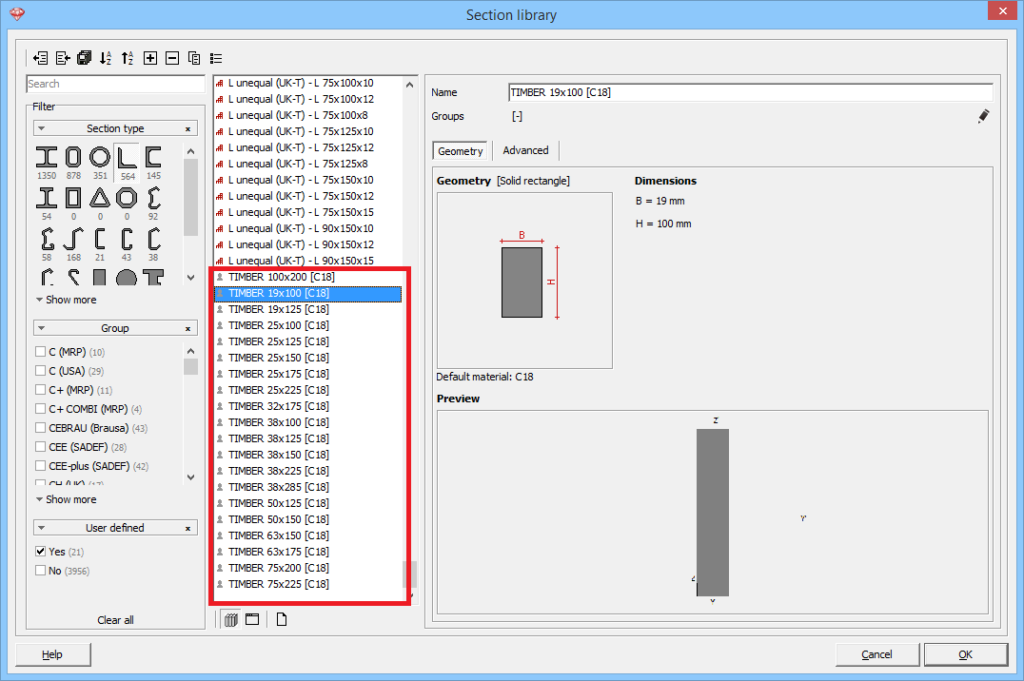
Example 1 : timber sections
Download the *.xml file with common timber sections. You can import the sections using the above method. The default material is set to C18. You can add/ remove sections or change the default material afterwards.
Unzip the file, otherwise you won’t be able to import it.
| width | 100 | 125 | 150 | 175 | 200 | 225 |
|---|---|---|---|---|---|---|
| thickness | ||||||
| 19 | ✔ | ✔ | ||||
| 25 | ✔ | ✔ | ✔ | ✔ | ✔ | |
| 32 | ✔ | |||||
| 38 | ✔ | ✔ | ✔ | ✔ | ||
| 50 | ✔ | ✔ | ✔ | |||
| 63 | ✔ | |||||
| 75 | ✔ | ✔ | ||||
| 100 | ✔ |
Example 2: T-profiles
Download the *.xml file with T – profiles. You can import the sections using the the above method. The default material is set to S235.
Unzip the file, otherwise you won’t be able to import it.
Notes when using this library:
- The inclination of the flanges was neglected. The inclination in the web is taken into account.
- T-profiles are of cross-section 3 up to S355 (EN 1993-1-1:2005 + AC: 2006 Table 5.2 page 3 of 3 L-shapes).
- The imperfection factor for buckling αy’ and αz’ is set to 0.49 in correspondance to Table 6.2 from EN 1993-1-1:2005 + AC: 2006.
- The imperfection factor for lateral torsional buckling αLTB is set to 0.76 in correspondance to Table 6.4 from EN 1993-1-1:2005 + AC: 2006.
- The torsional properties It and Iw are calculated using “Torsional Section Properties of Steel Shapes, Canadian Institute of Steel Construction, 2002”.
