
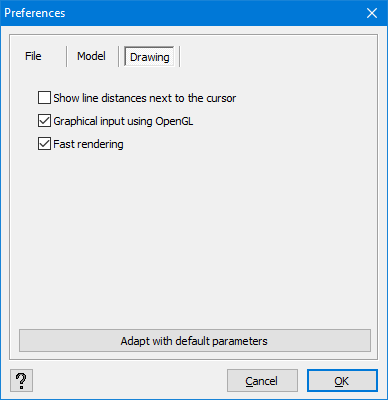
- Show line distances next to the cursor
If you check this option, Diamonds displays the projected lengths next to the cursor when drawing lines , walls
  , beams
  or columns
  .
. - Graphical input using OpenGL
If you check this option, you’ll fully benefit from the possibilities offered by the OpenGL® technology. But in case of graphical issues, it might be necessary to uncheck this option. - Fast rendering
The text in the Diamonds character field can be generated in various ways. When this option is enabled, Diamonds uses the fastest method. However, this sometimes causes problems with certain graphics cards. In that case, this option should be disabled.
