
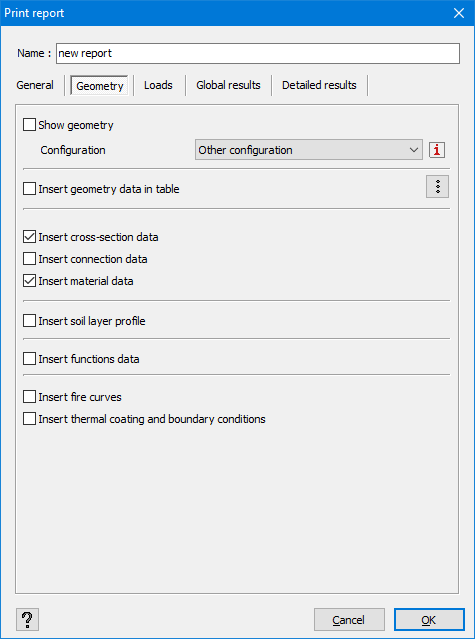
- Show geometry
If you check this option, Diamonds will print an image of the geometry in the report.
The orientation of the model and which elements are visible on the image, are defined in the General tab.
Which data (like point numbers, line numbers, buckling lengths, … ) should be visible on the image and the representation of the model ( ,
,  , …) are copied from the selected Configuration (more info on Configurations).
 - Insert geometry data in table
If you check this option, Diamonds will include the geometry information available in the Data table . Click on
  to indicate which data should be included.
 - Cross section data prints all properties of this dialogue
 .
. - Connection data prints all properties of this dialogue
 .
. - Material data prints the mechanical and strength properties as given in the material library.
- Soil layers prints all properties of this dialogue
 .
. - Function data prints all properties of this dialogue
 .
. - Fire curves prints all properties of this dialogue
 .
. - Thermal coating and boundary conditions prints all properties of this dialogue
 .
.
