About Diamonds
If you go the the menu Help > About Diamonds, you can see the Diamonds version you’re using. In the printscreen below, Diamonds 2026.

License info
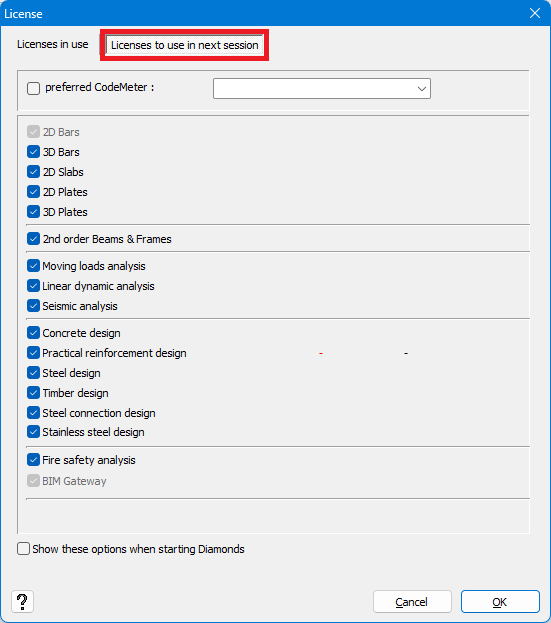
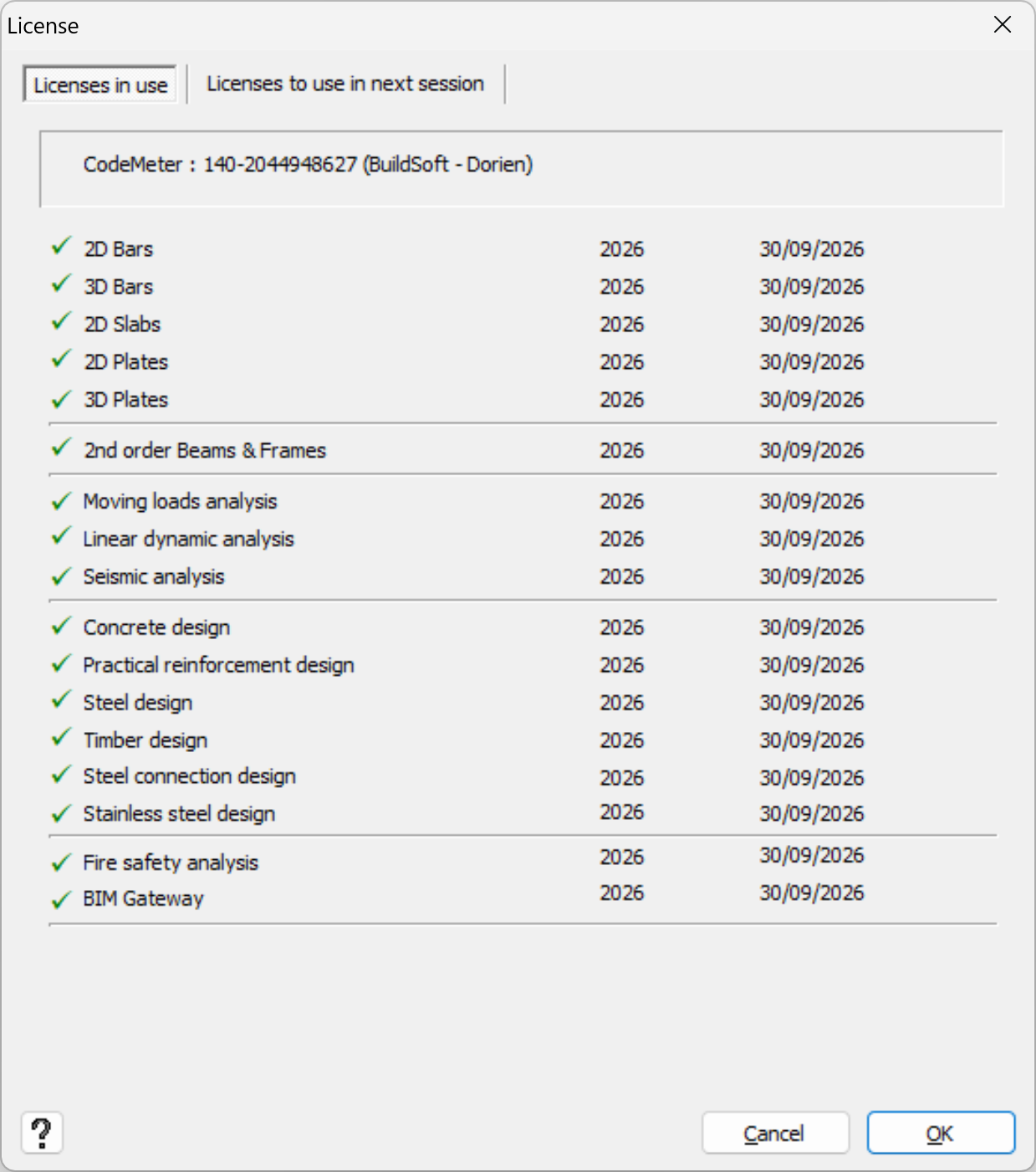
If you click on the button License info, you’ll see the dialogue below which contains two tab pages: Licenses in use and Licenses to use in next session.
Tab page “Licenses in use”
In this tab page, you can see:
- the license number.
140-2044948627 in the image below - for which modules you have a license.
Modules marked with a green V are present - the expiration date
30/9/2026 in the image below
Tab page “Licenses to use in next session”
In this tab page, you can:
- Select a preferred Codemeter for your next session.
- Select which license modules should be loaded for your next session.
- And if this dialog should pop up when starting Diamonds.