
To add a new cross-section to the library:
- Go to Edit > Section library.
- Click on
 .
. - Give the section a name.
- Define the group to which the section belongs.
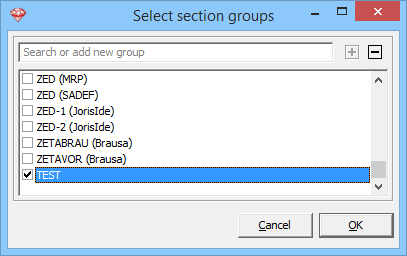
- Click on ‘[-]’.
- Add a new group by writing the group name and clicking afterwards.
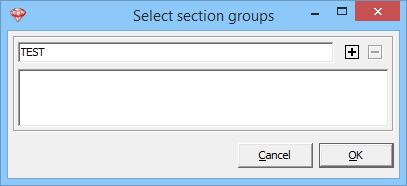
- Select the desired group.
- Click on
 to define the shape, dimensions and preferred material.
 - If you want the section to be available for other projects as well, select the button
 .
. - Click on
 to save the changes.
