
Incompatible load groups, are load groups that cannot act/ occur at the same time. Only variable loads (= life loads, wind, snow, temperature) can be set incompatible. Permanent loads (= self-weight and dead loads) cannot be set incompatible with other load groups.
For example: if the wind blows from one direction, it cannot blow from another direction at the same time. Assuming there are 4 wind directions, the 4 load cases for wind should be incompatible. Now let’s see how you define this in Diamonds:
- Add four load groups for wind. Change the names to Wind1, Wind2, Wind3 and Wind4 to keep them apart.
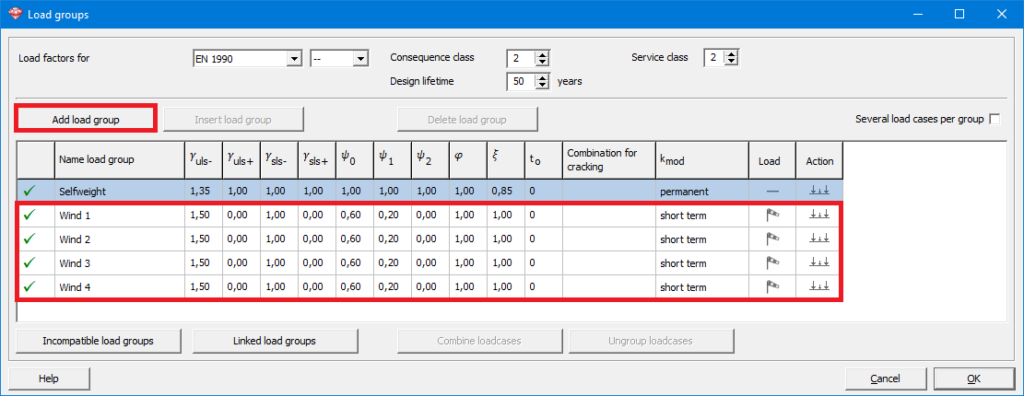
- Indicate the load groups that cannot be present at the same time.
- Click on the button
 .
. - Select Wind1 from the list and check the boxes in front of Wind2, Wind3 and Wind 4.

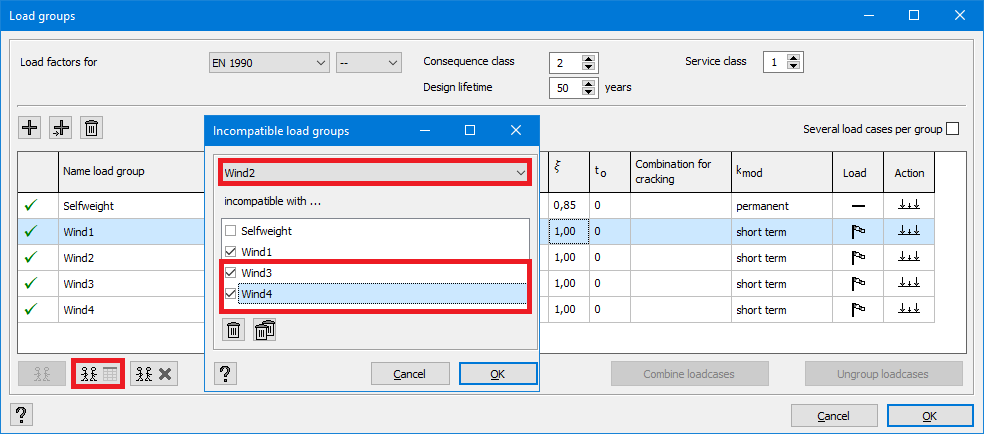
- Select Wind2 from the list and check the boxes in front of Wind3 and Wind4. The incompatibility with Wind1 was already defined in the previous step.
- Select Wind3 from the list and check the box in front of Wind4. The incompatibility with Wind1 and Wind2 was already defined in the previous steps.
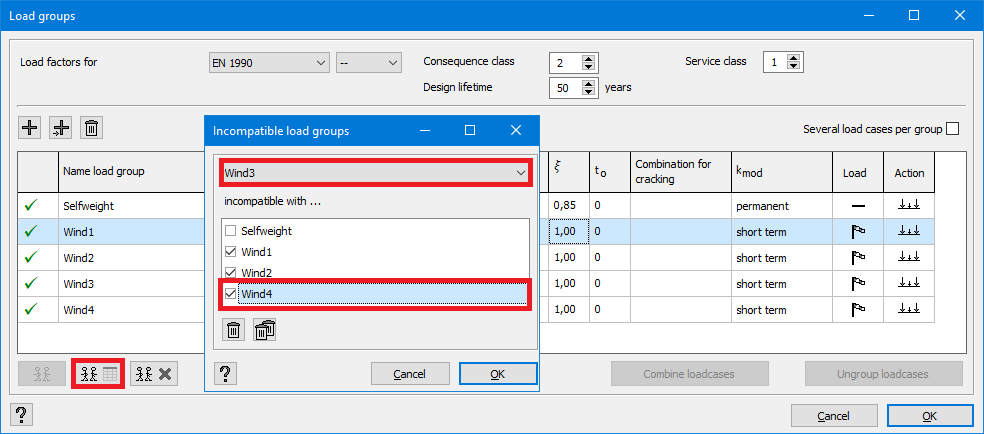
- Wind4 is then automatically incompatible with Wind1, Wind2 and Wind3 because of the previous selection.
- Click on the button
- Click on
 to remove all the incompatibilities.
