

With 1•2•Build you can calculate the following model types:
 Simple structures, like (continuous) beams, columns and frames
 Repetitive structures
You’ll notice that the additional data regarding the repetitive structure is displayed at the bottom left of the model window: the number of repetitions perpendicular to be considered in the direction perpendicular to the XY-plane and the intermediary distance. Double click the area to adjust the data.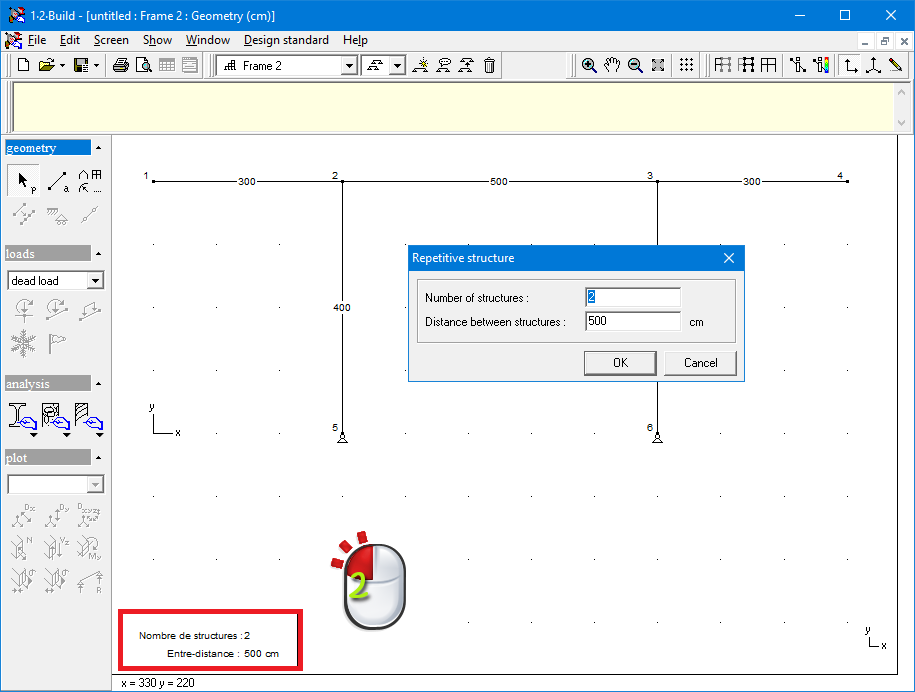
In all next steps, all model data (like the loads for example) is automatically defined per unit of length perpendicular to the XY-plane. As a result, if you change the intermediary distance, you don’t need to adjust all the other model data. Plate strips in reinforced concrete
Also in this case, the additional data is displayed at the bottom left of the model window, namely the plate width. The default value for the width is 5m, but you can adjust this by double clicking on the area. This way, you activate a dialog in which you can impose a new value.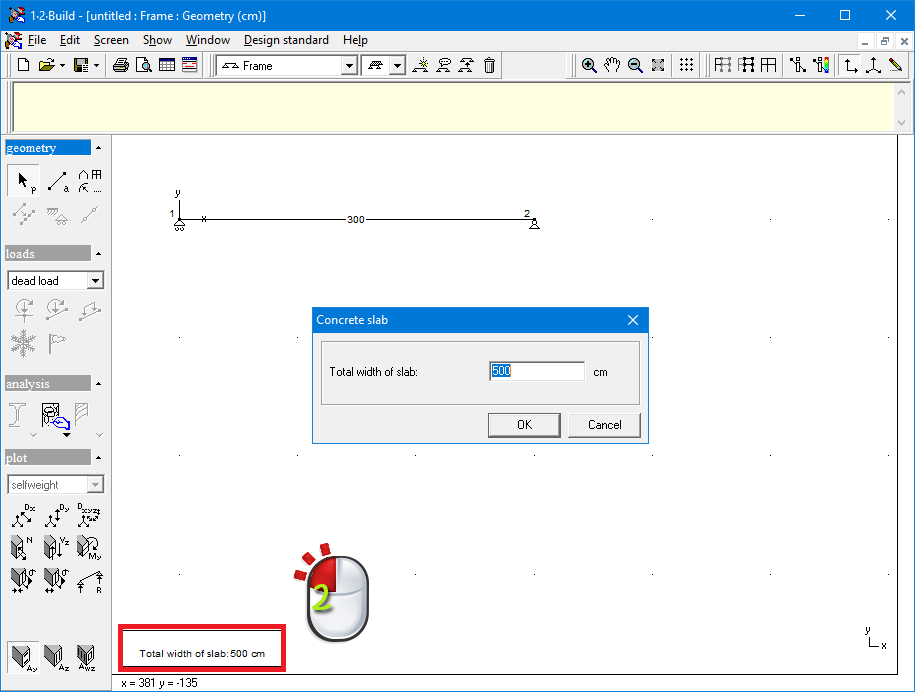
In all next steps, all model data (like the loads for example) is automatically defined per unit of length perpendicular to the XY-plane. As a result, if you change the width of a plate strip, you don’t need to adjust all the other model data.
During the analysis, the plate strip is calculated as a beam-element with unit width. The list of materials of automatically displayed for the total width of the plate strip.
