

1•2•Build automatically calculates the material quantities. The button  becomes active after completing a design. The list of materials contains
- For elements in steel: total steel weight and total paint surface
- For elements in timber: total timber weight
- For elements in reinforced concrete: concrete volume and total weight of reinforcement steel.
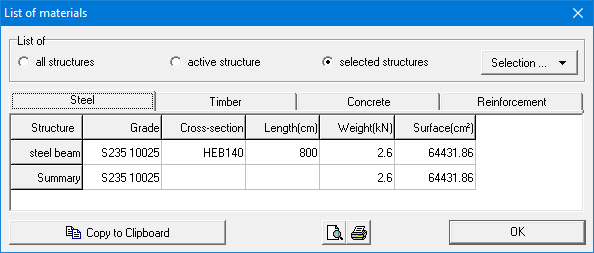
You can make a list of materials for:
- all the structures defined in the 1•2•Build – document.
- the active structure in the model window
- the selected structures using the pull-down menu ‘Selection’.
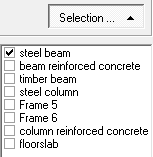
You can copy the content of this table with  . Paste the information in a different program using CTRL + V. With the buttons
  and
and  , you make a print preview and print the list of materials. The list of materials can also be included in the report.
