
When you double click a line, you can change the length and inclination of the line in the dialog that appears.
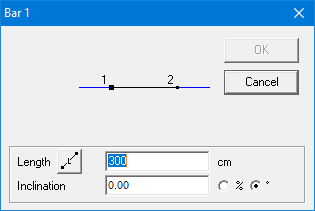
The length and inclination of the line will be adjusted in such a way that the end point closest to your double click, will stay in place. While the other end point moves.
The length can be entered either be entered
- as the real length of the bar
- as the projected horizontal length of the bar.
You can switch between both lengths by click on the button  (real length) which will change into
 (horizontal projection), and vice versa.
