
Option 1: I always use the same set of license modules
For example: you’ve pruchased an additional modules and you want this module to be loaded each time you startup Diamonds.
- Open Diamonds.
- Go to ‘Help > About Diamonds > License info‘.
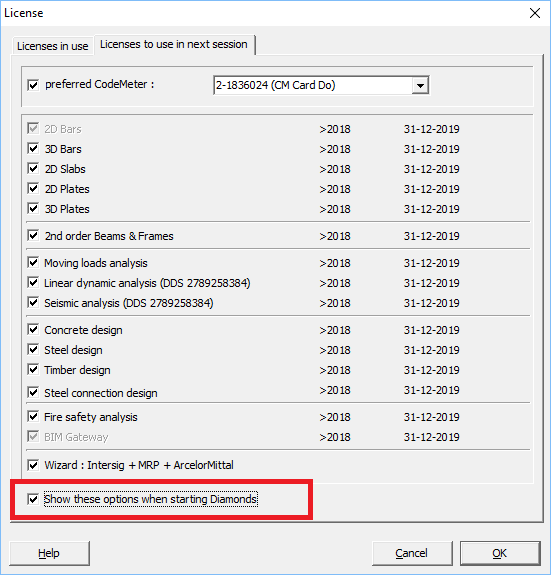
- Go to the tab page ‘License to use in next session‘.
- Check the modules you want to load – at each launch from now on.

- Click twice ‘OK‘ to close the dialogs.
- Restart Diamonds. The changes are now saved.
Option 2: I want a different set of license modules at each launch of Diamonds
This setting is useful in case of a network license:
- Open Diamonds on the user’s computer.
- Go to ‘Help > About Diamonds > License info‘.
- Go to the tab page ‘License to use in next session‘.
- Check the option ‘Show these options when starting Diamonds‘.
- Click twice ‘OK‘ to close the dialogs.
- Restart Diamonds. From now on, each time you start Diamonds, Diamonds will show a dialog that allows you to select the license modules you want to load.
