
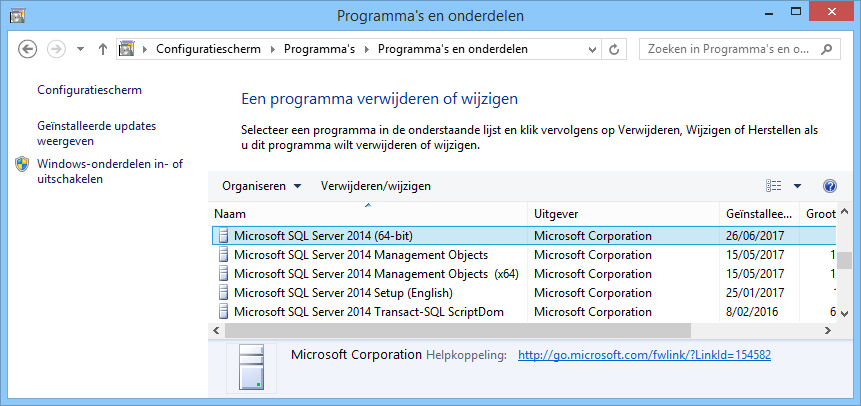
- Control panel > Programs and Features > Select ‘the database you want to delete – in this case Microsoft SQL Server 2014’ and click ‘Uninstall’.
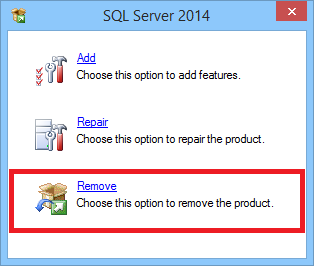
- Select ‘Remove’.
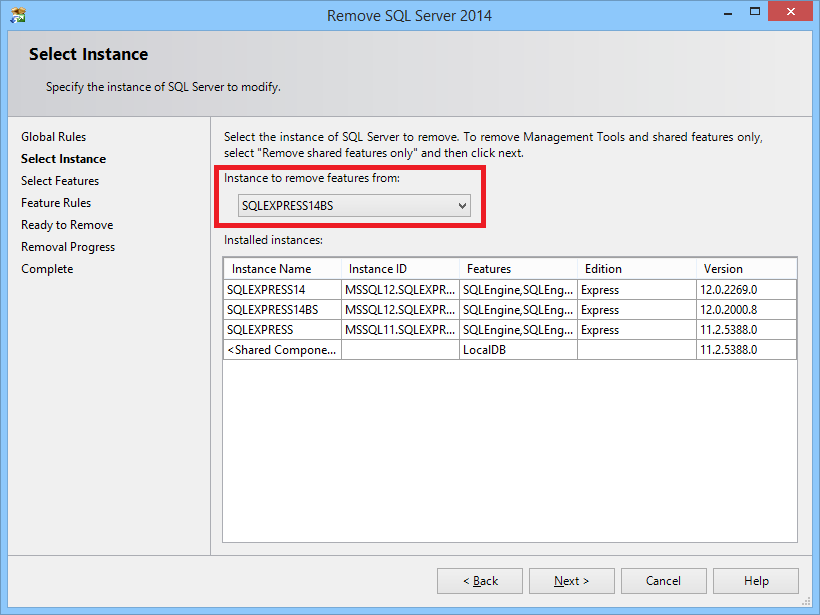
- Select the database you want to remove and click ‘Next’.
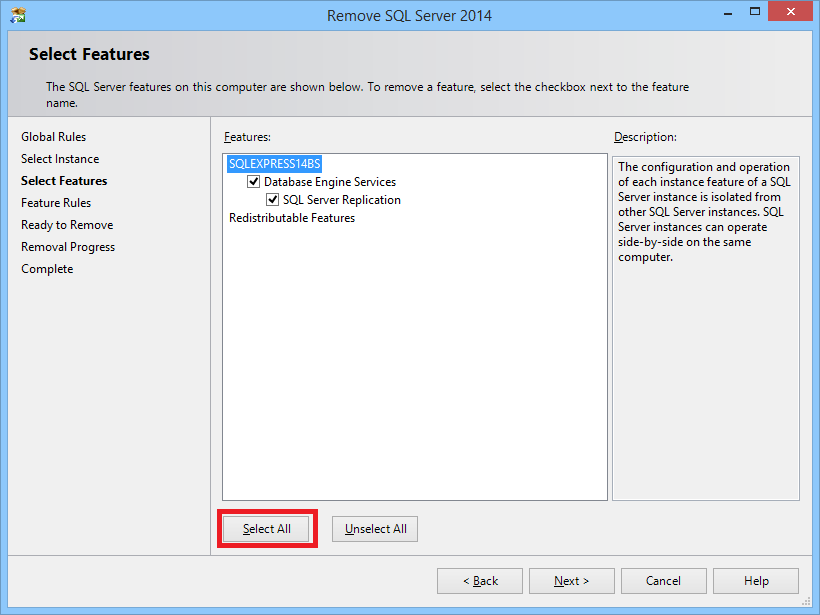
- Click ‘Select all’ and click ‘Next’.
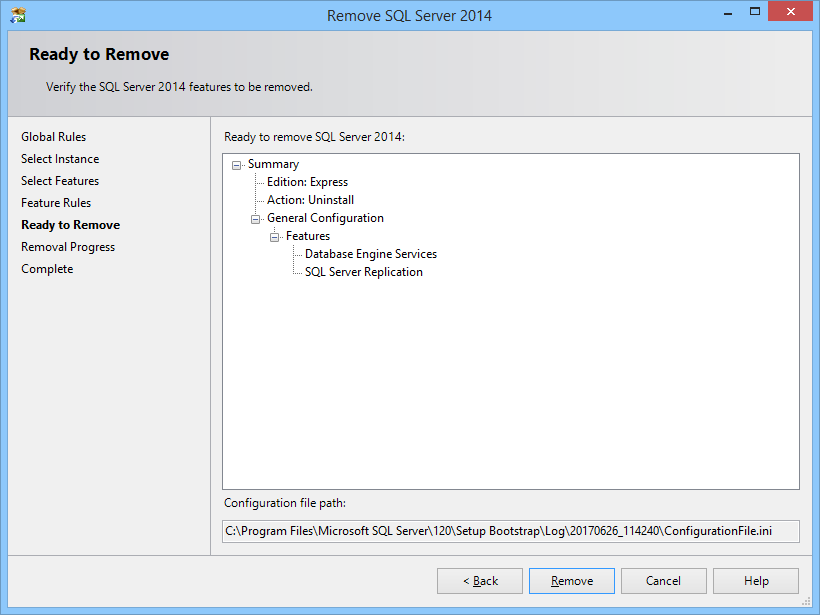
- Click on ‘Remove’.
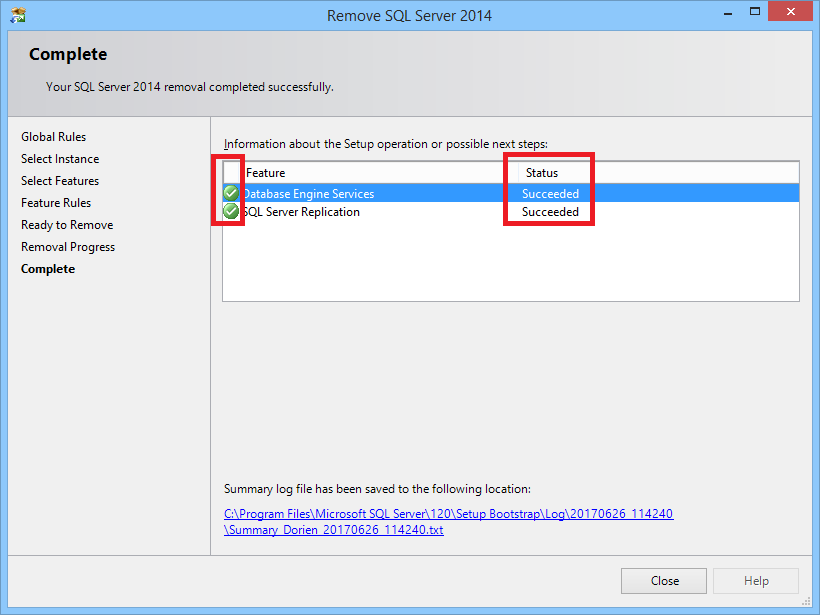
- When finished the status should say ‘Succeeded’.
How to manually remove an SQL database
Need Support?CONTACT SUPPORT
