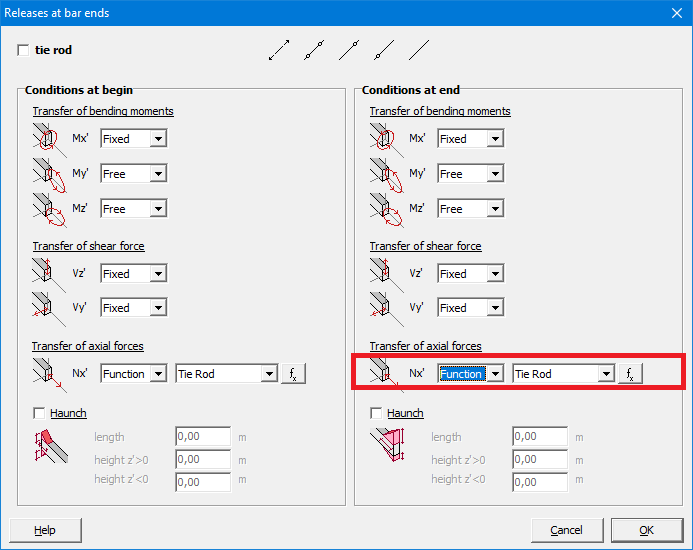
Using button
- Select the bar(s) you want to define as a tie rod.
- Assign the desired cross-section to them using
 or
or  .
. - Click on
 .
. - Select
 .
.
Using function
In some models, tie rods defined with the button can result in interation problems because the algorithm deciding which tie rod is working and which one is not, is too strict. The alternative is using a function in which you can define your own limit.
- Select the bar(s) you want to define as a tie rod.
- Assign the desired cross-section to them using or .
- Click on .
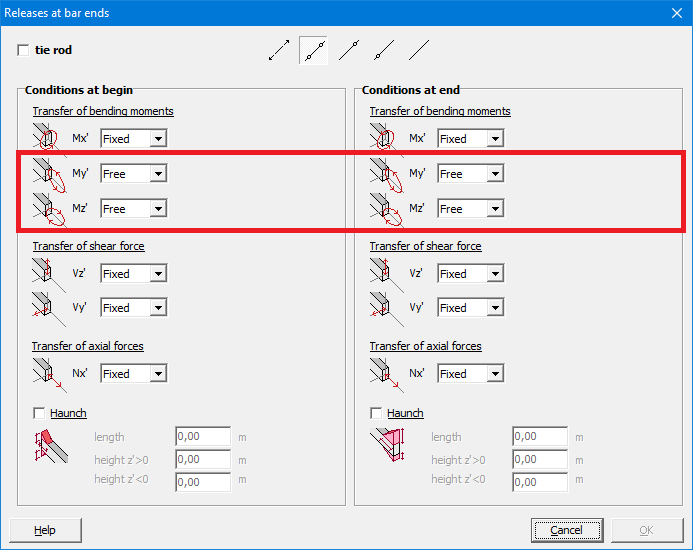
- With My’ and Mz’ choose ‘Free’.
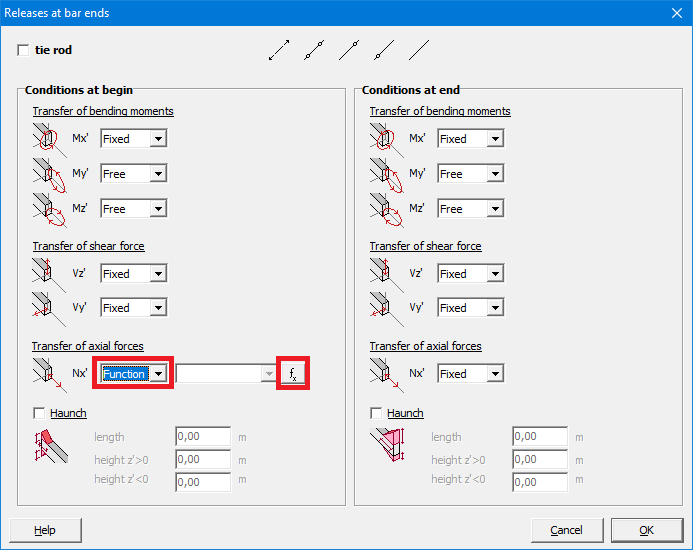
- With Nx’ choose ‘Function’ and click on
 .
.
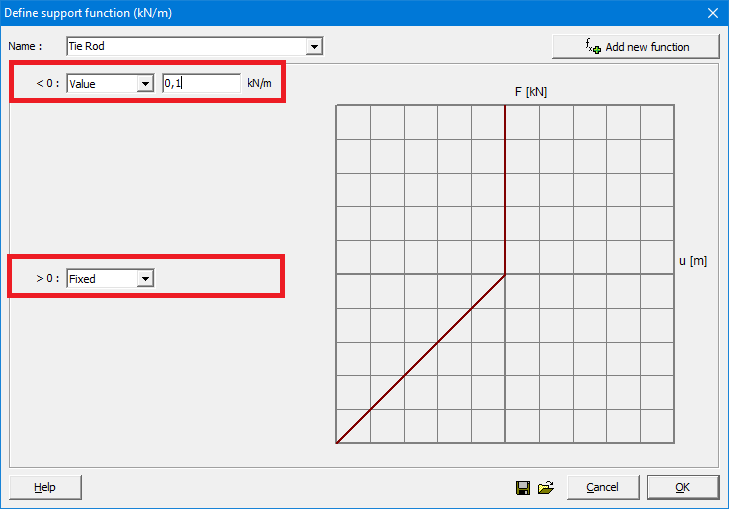
- Click on
 and give the function a name.
 - Enter a small value with ‘<0’ and set ‘>0’ to ‘Fixed’.
The definition of ‘small’ depends on the model. For some models it will be 0,1 kN/m, for others it will be 1kN/m.
Choose a value and calculate the structure. If it calculates, divide the value for example by 2 and try again. If it doesn’t calculate, multiply the value by 2 and try again.
You’ll see that after a few attemps, the compressive force in the tie rods will be neglectable in comparison to the tensile force.
- Assign the function also to the end of the bar.