
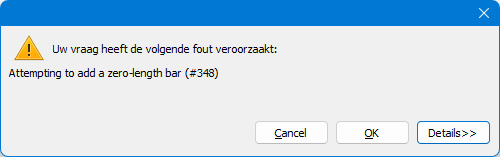
During the mesh generation Diamonds gives the error: Attempting to add a zero-length bar at MeshInfo.TMeshedBarInfo..ctor(TModelBar bar, TAdvList points)
Solution
- Hit Cancel to close the error.
- “#348” is the number of the bar that’s causing trouble. Remember the number.
- Go to the Geometry Configuration
 .
. - Select nothing and open the Data table
 .
. - Go to the tab page “Bars”.
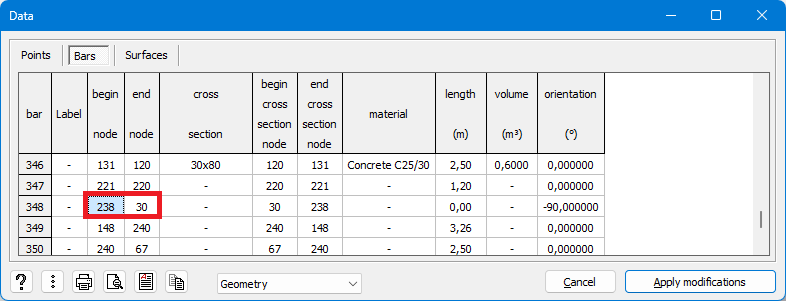
- Scroll through the list until you reach the relevant bar, in this example: 348.
- You’ll see that the bar has a zero length.

- Remember the start and end node of the bar. In this example numbers 238 and 30.
- Close the Data table.
- Go to the menu Select > Points Numbers….
- Enter on of the numbers, for example 238.

- Hit OK to perform the search. Hit
 immediately after that to isolate the point.
This will make it easier for you to locate the point in the structure.
If you can’t retrieve the point, repeat the steps with the other point number. “30” in this example. - Run the Projection function
 in the X and Z direction on that point. This will remove the zero length bar from the model.
Or send your model (*.bsf-file) to support@buildsoft.eu
