
This article explains how to send a model from Diamonds to Tekla Structures, using BIM Expert.
1. Preparation in Diamonds
If you want to results to be transferred to Tekla Structures, make sure the model is calculated and that elastic results are available.
If you simply want to have the geometry model in Tekla Structures, without further BIM workflows, analysis in Diamonds is not required.
2. Send the Diamonds model to Tekla Structures
2.1 From Diamonds to BIM Expert
In the File menu tab, select ‘Export > Export to BIM Expert’ or simply use F8.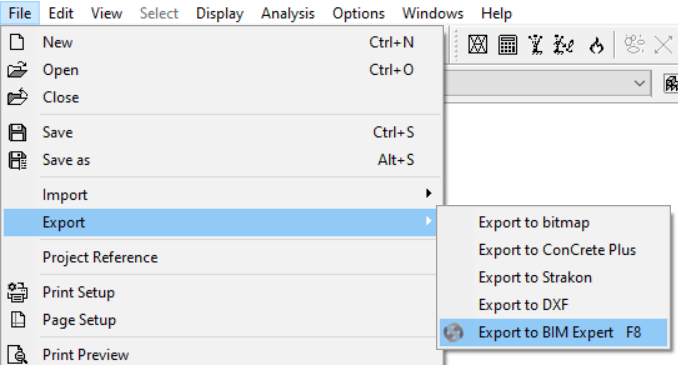 The geometry model is sent to BIM Expert. All sections and materials are automatically converted and transferred, as well as the loads and results (if present). The model is now in BIM Expert.
2.2 From BIM Expert to Tekla Structures
3. Final steps in Tekla Structures
The model is now in Tekla Structures, ready for the next steps in the project process.



