
The easiest way to make a PDF report from Diamonds, PowerConnect or any other BuildSoft software is by installing a free PDF maker such as PDF Creator or CutePDF. These are lightweight PDF makers installed as local printers.
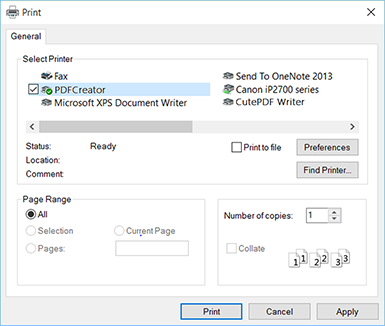
With for example PDFCreator, you can collect several prints (from Word, Excel, Diamonds, PowerConnect etc), combine and print them together as 1 PDF file. To do so:
- Print the first document. When the PDFCreator window pops up, select ‘Wait – Collect’.

- Print all other desired documents (CTRL + P in document, choose PDF creator as printer).
- When you’re done, open the dialog « Reorder and merge Print Jobs » of PDFCreator. Here you can reorder the document by dragging them (if necessary).
Click on « Merge all » and then on « Continue » to execute the print command.

