
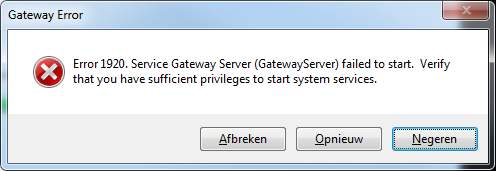
During the installation of Gateway you get the error:
Solution
- Click « Ingore » to continue the installation. Let the installation run, don’t interrupt it.
- The error will show up a second time. Click « Ignore » again.
- Open the program Codemeter Control Center. This is our license management system.
Check if the license « Buildsoft Gateway » is present.
If not present, download it here. Drag and drop the file in Codemeter Control Center.
- Once the installation is complete, open Task Manager (CTRL + ALT + DEL or right mouse click on the Windows bar) > tab page ‘Services’.
Error 1920 means that the installer wasn’t able to start the services ‘Gateway’ and ‘Gateway Server’. So we’re going to start them manually using the steps below. - Find the service ‘Gateway Service’
- Select the service.
- Click right mouse button and hit ‘Start’.
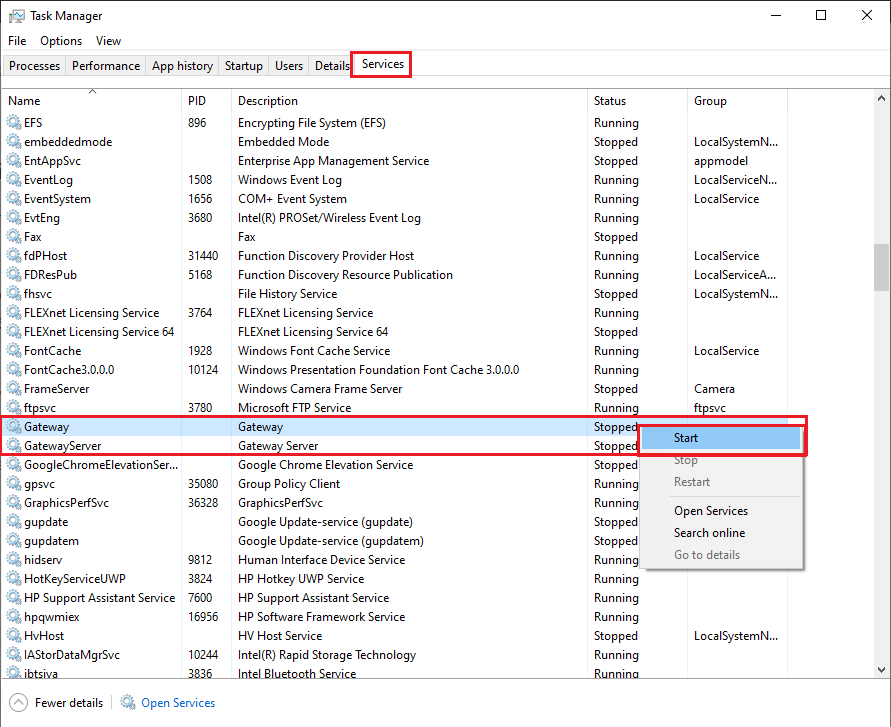
- Find the service ‘Gateway’
- Select the service.
- Click right mouse button and hit ‘Start’.
If the services doesn’t start from the first time, try it again.
- Once Gateway and Gateway server are both started, you can start Diamonds, PowerConnect or BIM Expert.
