
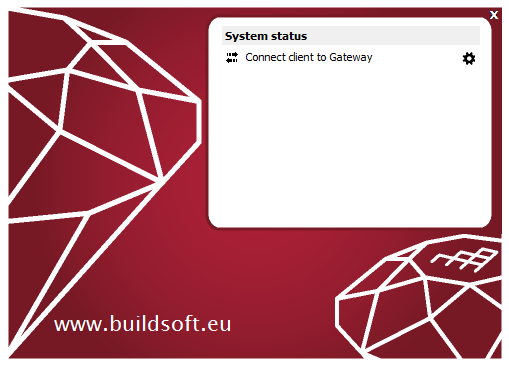
Error message on starting Diamonds/PowerConnect: Connect client to Gateway
[NL]: Verbind Client met Gateway
[FR]: Connecter client à Gateway
[ES]: Conectar client a Gateway
Note: reinstalling Diamonds will not solve this issue.
Solution 1: try this solution first
- Open Task Manager ( CTRL + ALT + DEL or right mouse click on the Windows bar). Click on ‘More details’.

- Go to the tab page Services.
Find Gateway in the list. The column Status will probably say « Stopped ».
- Click with the right mouse button on Gateway and choose « Start ».
If its status jumps back to Stopped after 2s, try again. If the status is still Stopped after this, do Solution 2.

- The Status of Gateway should now say « Started ».
- Find Gateway Server in the list. The Status should say « Started » as well. If that’s not the case, click with the right mouse button on Gateway and choose « Start ».
- The Status of Gateway Server should now say « Started ».
Solution 2: in case solution 1 didn’t solve it
- Follow this solution.
