
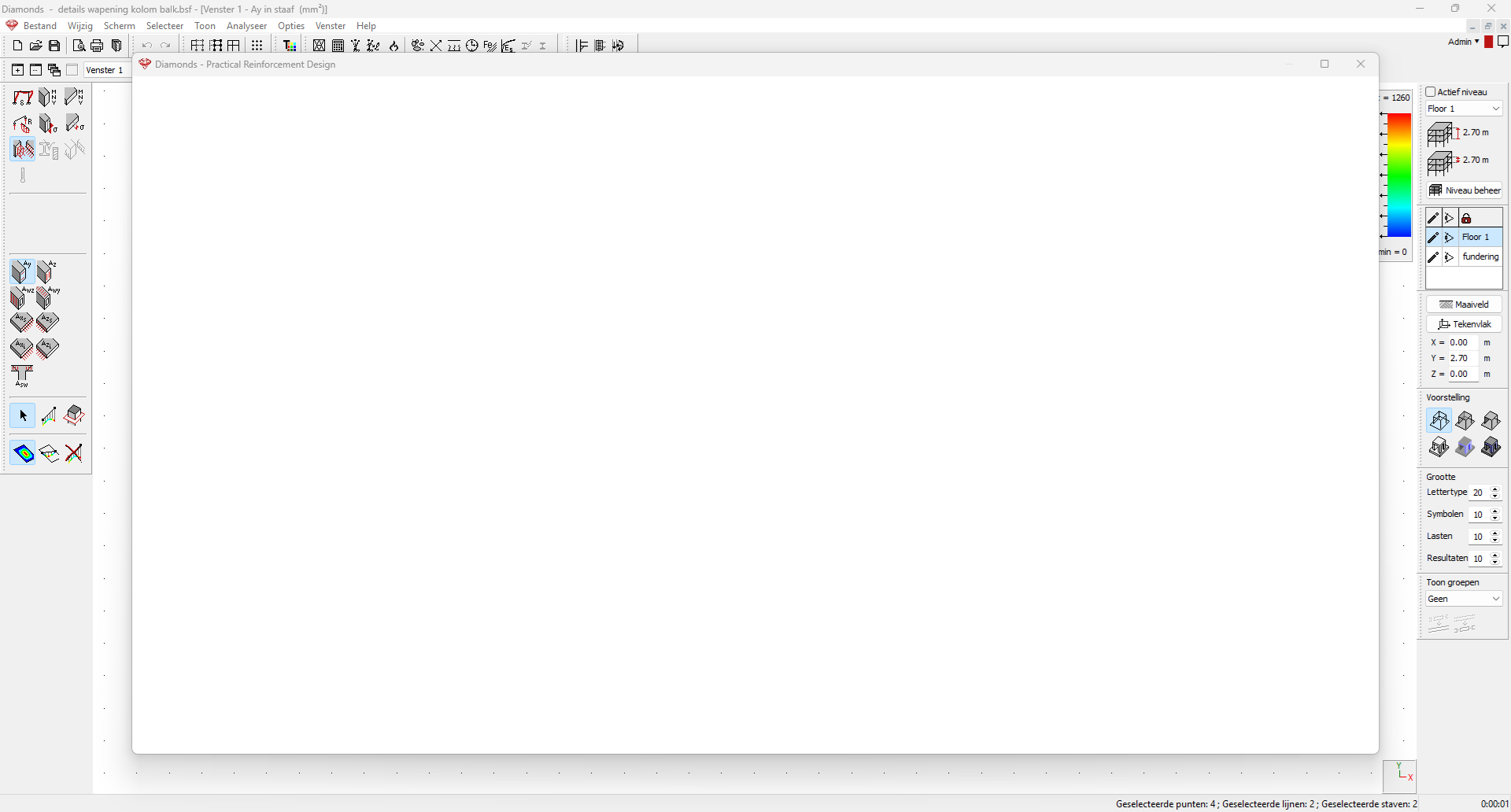
You’ve opened the intermediary results  . You’re looking at the results of bar X. When you switch to bar Y by changing the Bar number, you get a white screen like the one below.
Cause
The issue is a bug and is caused by absence of certains checks. An example:
- A model contains 2 bars. Bar 1 is column loaded with axial compression, bar 2 is beam loaded with bending.
You’re looking at the buckling results in Bar 1.

- Now you decide you want to check out some results of Bar 2. The moment you pick bar 2 from the pulldownlist, the advanced intermediary results become empty.
That is because there are no buckling results available for Bar 2. It was bar loaded with pure bending.

This bug will be solved in Diamonds 2026r01, but in the mean time you could try one the following solutions.
Solution
- If you restart Diamonds and open the results for bar 2 you’ll see them. But from the moment, you repeat the mistake as explained above, the advanced detailed results will be empty again.
- You can avoid this by opening the detailed results only for one bar at a time.
- If you can remember as which bar you were looking at (in the example above bar 1) before you switched to the next (in the example above bar 2), you can:
- Close the advanced detailed results.
- Select only bar 1 and open the advanced detailed results .
- From the pull down-list, choose 1 ULS FC. Close the dialog.
- Select only bar 2 and open the advanced detailed results .
