In the CodeMeter WebAdmin, a license with valid expiry date is displayed in red. While it should be written in black.

Solution 1
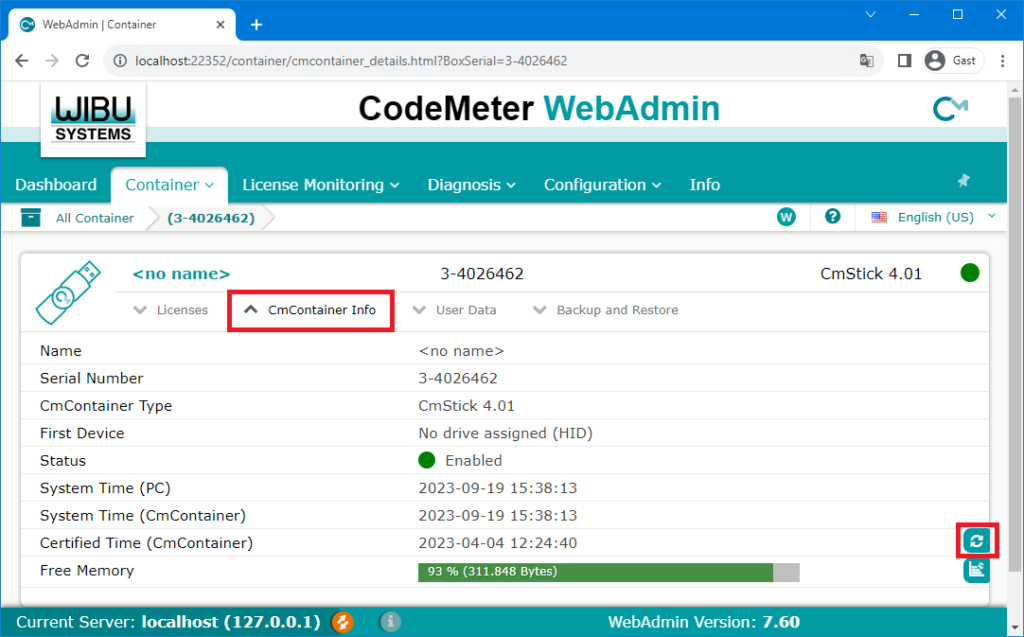
Update the time certificate of the dongle go to the menu « CmContainer Info » and click on the update-button.

In the CodeMeter WebAdmin, a license with valid expiry date is displayed in red. While it should be written in black.
Update the time certificate of the dongle go to the menu « CmContainer Info » and click on the update-button.
