
This article explains how to send a model from SAP2000 to Tekla Structures, using BIM Expert.
1. Preparation in SAP2000
If you want to results to be transferred to Tekla Structures, make sure the model is calculated and that elastic results are available.
If you simply want to have the geometry model in Tekla Structures, without further BIM workflows, analysis in SAP2000 is not required.
2. Send the SAP2000 model to Tekla Structures
2.1 From SAP2000 to BIM Expert
In the Model tab, select ‘Import’. Next, choose the source software manufacturer, namely ‘Computer and Structures, Inc’ (CSI) . Click to continue.
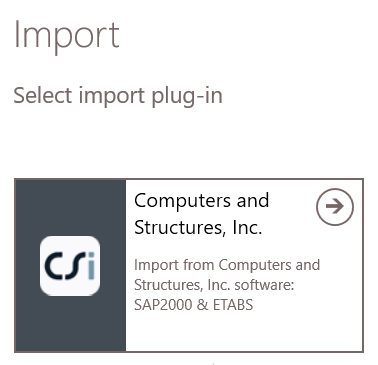 Choose ‘SAP2000’
 Alternatively, models can be sent to BIM Expert directly within SAP2000 (Tools > BIM Expert), but you first need to add BIM Expert as a plug-in to SAP2000.
2.2.1 Settings
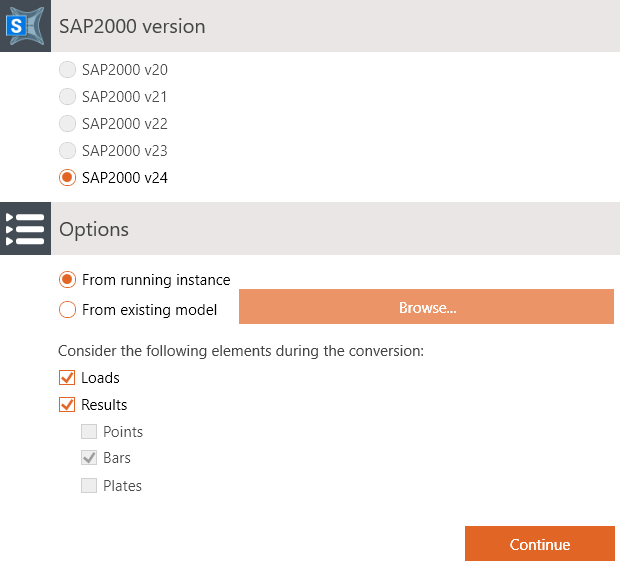 Select your SAP2000 version, and were the model is coming from:
- A running instance – that means, the model is currently open in SAP2000
- An existing model – click ‘Browse… ‘ to open your file browser, go to the model location and select the model
2.2.2 Material mapping
Database materials such as steel (e.g. S235, ASTM-Grades), concrete (e.g. C25/30, M50) and timber (e.g. C24, D50, GL28c) are mapped automatically. In some cases, the match is not automatically found, because the name differs (S355-link instead of S355). In that case, you can select the correct material from the database. Tip: When searching an item in the database, type the first letters of the name to find it more quickly.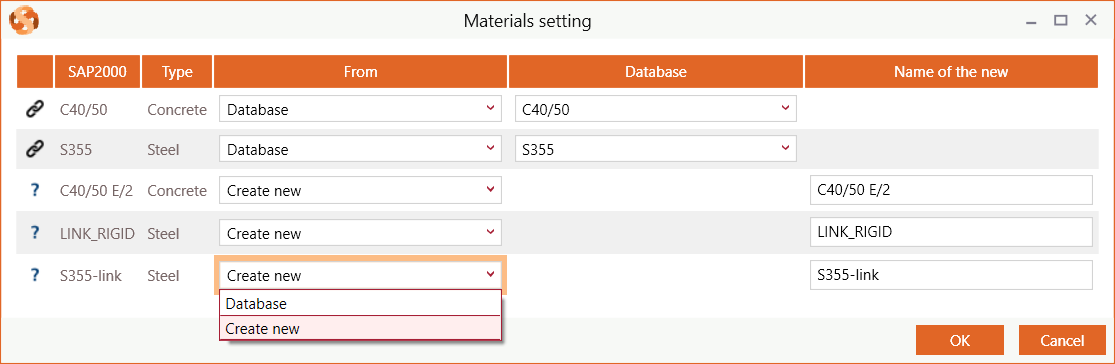
2.1.3 Section mapping
Database sections (such as I, H, UB, UC, W, C, U, O, ☐ and L sections) are mapped automatically. In some cases, the match is not automatically found, because the name differs (e.g. name is HEB300 – S235 instead of HEB300). In that case, you can select the correct cross-section from the database. Tip: When searching an item in the database, type the first letters of the name to find it more quickly. Parametric sections (e.g. rectangles, circle, trapezium, …) are not in the database. They should always be added as new.
2.1.4 Loads mapping
If you opted to consider the loads during export, the SAP2000 load combinations need to be categorized. Each valid SAP2000 combination must be categorized into Eurocode or American combinations. Use the checkbox ‘Use categories according to Limit States’ to switch between European and American combination categories.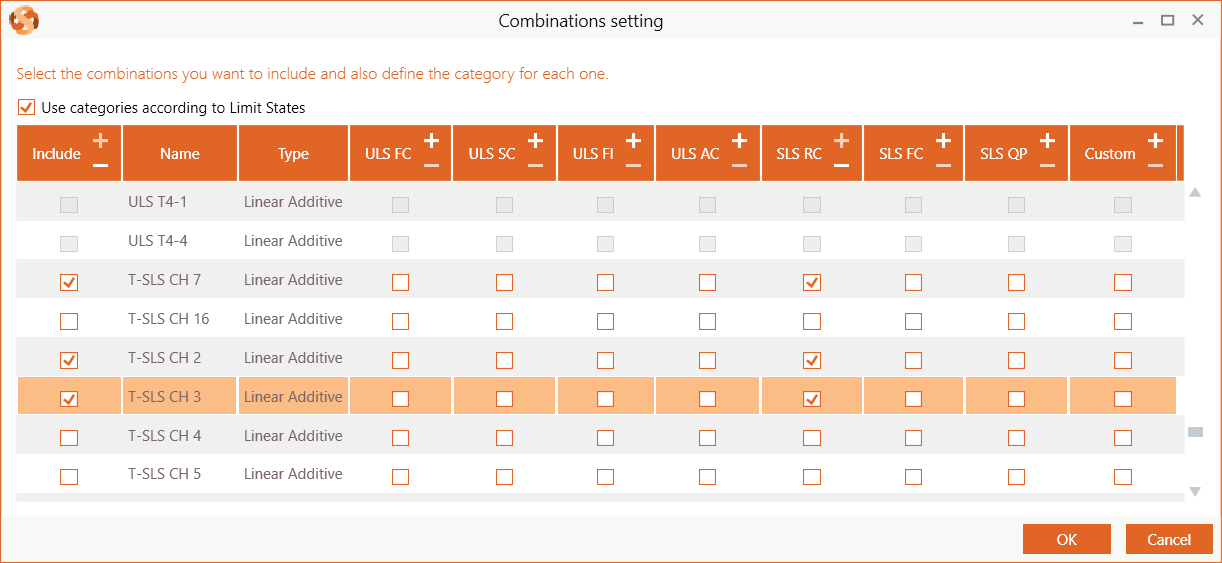
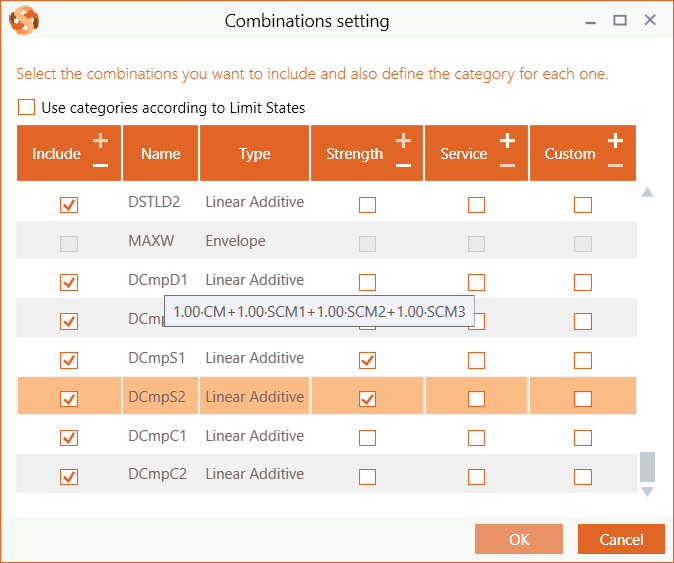
- Eurocode Limit States
- ULS – Ultimate Limit State Combinations: Fundamental (FC), Seismic (SC), Fire (FI) or Accidental (AC)
- SLS – Serviceability Limit State Combinations: Rare (RC), Frequent (FC) or Quasi-Permanent (QP)
- Custom
- Armerican
- Strength
- Service
- Custom
2.1.5 Reporting
In case of severe incidences, you get a report of the incidences. It usually concerns load cases or element behavior that are not supported by BIM Expert. Click ‘Continue’ to proceed anyway.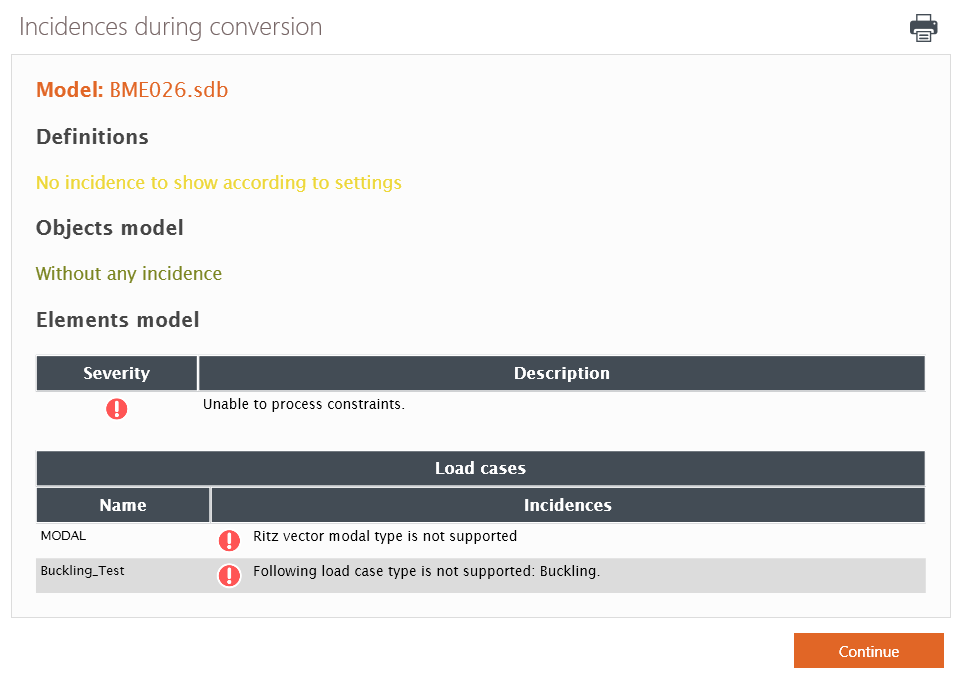 The model is now in BIM Expert.
2.2 From BIM Expert to Tekla Structures
3. Final steps in Tekla Structures
The model is now in Tekla Structures, ready for the next steps.
